The Nokia X is the Finnish company’s first Android smartphone. That’s not
a sentence I ever thought I’d say, but apparently 2014 is the year
where anything can happen.
This phone has really agitated tech pundits around the globe. Why is
Nokia doing this? Isnt it in completely the opposite direction of
Windows Phone? What’s up with that UI?
Well, here’s what you need to know. The Nokia X does runs Android,
technically, but it’s nothing like any Android UI you’ve ever seen. It
also features a really eye-catching design, solid build quality, Nokia’s
software, and is available at an incredibly competitive pricetag. Does
that make the Nokia X more value for money than other phones in this
price range? Is it better than the similarly priced Lumia 520 or Lumia
525?
Read on for Nokia X Review.
The Nokia X comes with your usual set of in-box contents.
There’s the charger, the microUSB-to-USB cable, the headset, and user manuals.
The Design:-
In many ways, the Nokia X is the phone a lot of Android fans were
waiting for. But not quite. It’s not a flagship phone, on the other hand
it aims for the completely opposite side of the market. But as I said
earlier, that UI is unlike anything you’ve ever seen on Android before.
The Nokia X is the start of what will eventually be a family of
smartphones, with more variants apparently coming later this year. For
now, they’re starting with the X, which is a monoblock smartphone with a
4 inch touchscreen, that costs just Rs 8599 here in India (and about
€89 or about $122 unlocked everywhere else).
Nokia’s known for their beautifully constructed handsets, with the N9
and the Lumia phones being the latest in that legacy, so it’s no
surprise that the Nokia X features striking design, as well. There’s a
very Asha-like matte plastic all around, hugging a display with just a
lone ‘back’ button below it, much like a larger Nokia Asha 501. There’s
certainly elements borrowed from both the Asha and Lumia design teams.
Since this phone is aimed at the budget conscious market, it might
not be as premium looking at some high end phones. That being said, the
solid build feels so high quality in the hand that I honestly think the
Nokia X build quality puts some flagship phones to shame. No creaks or
squeaks at all, and should you inadvertently scratch the plastic, the
polycarbonate body is colored all the way through, which helps hide any
scuffs.
Measuring 115.5 x 63 x 10.4 mm, and weighing just 128.7 grams, the Nokia
X is really easy to hold, and very comfortable thanks to the curved
edges. It nestles in your hand very nicely, and the screen, though
relatively small compared to most Android phones today, is the same
size, diagonally, as the iPhone 5s. As a result, the Nokia X is very
easy to use single handedly, and your thumb can probably reach all
corners of the screen.
Measuring 115.5 x 63 x 10.4 mm, and weighing just 128.7 grams, the Nokia
X is really easy to hold, and very comfortable thanks to the curved
edges. It nestles in your hand very nicely, and the screen, though
relatively small compared to most Android phones today, is the same
size, diagonally, as the iPhone 5s. As a result, the Nokia X is very
easy to use single handedly, and your thumb can probably reach all
corners of the screen.
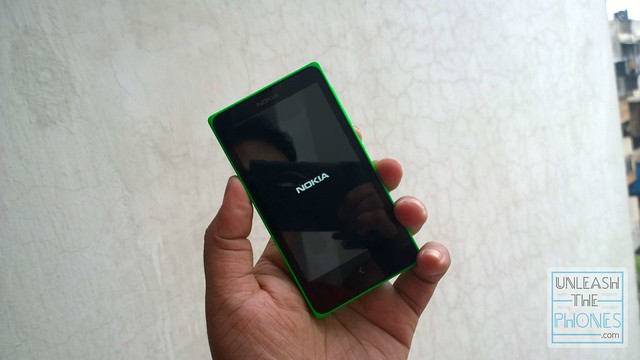
Coming to the front of the Nokia X, you’ll find a large, 4 inch IPS LCD
WVGA 800 x 480 pixels resolution display. That’s not a lot of pixels for
a screen that large, at 233 ppi pixel density.
As a result, the screen can be a tiny bit pixelated. For most folks,
this screen will be absolutely fine, to be honest, but if you’ve used a
720p or higher resolution display, you will probably notice the jagged
edges on text or icons.
Apart from that, it’s an okay-ish display, with good color reproduction
and decent viewing angles (for this price tag). Contrast is also strong,
probably helped by the smorgasbord of colour from all the
live-tile-like-UI.That being said, while the display can get quite
bright, the auto-brightness setting is a bit aggressive sometimes and
even at full brightness, the screen washes out in direct sunlight which
makes it a bit hard to use outside. It also attracts finger grease and
smudges awfully easily.
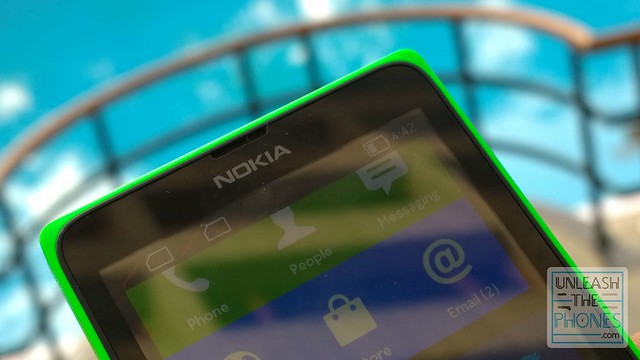
Above the display, you have a centrally located earpiece. There’s no
ambient light sensor (apparently) but there’s a proximity sensor hidden
somewhere here, which turns off the screen as you place it near your ear
when on phone calls. So that your ear doesnt make any phone calls of
it’s own.

Below the screen, there’s a lone back button, which is a completely
different layout than almost entirely all Android phones out there. You
use the back button to exit apps or switch between the homescreen view
and the ‘fastlane’ view. There’s no multi-tasking menu and hence no key
for that.
At the top, you’ll find a lone 3.5 mm audio jack, while at the bottom
you’ll find a lone microUSB port. The Nokia X does not come with a
microUSB-to-USB cable so you’ll need to buy one separately to use this
port for connectivity.
The left side of the Nokia X is barren of any ports or buttons, but the
right side of the phone has a power/lock button and volume rocker.

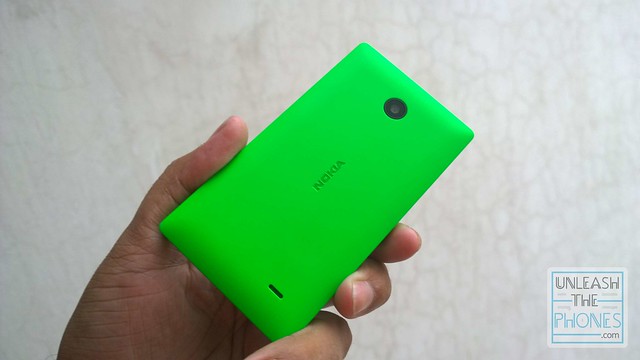
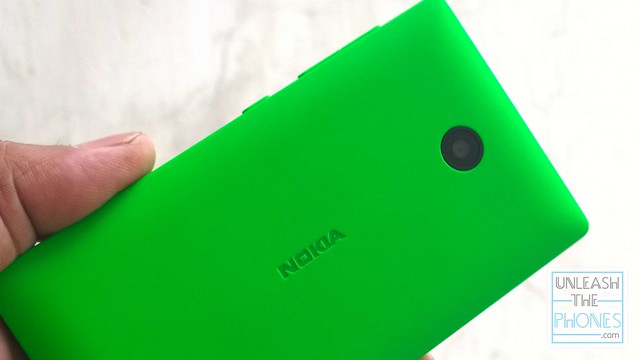
Coming to the back, the Nokia X has a pretty simple rear panel, with
just the 3 Megapixel fixed-focus camera, Nokia branding in the center,
and a tiny speaker grille.
As I mentioned earlier, the entire rear panel can be removed, and gives
you access to two SIM card slots, a microSD card slot, and a removable
1500 mAh battery.
As I mentioned earlier, the entire rear panel can be removed, and gives
you access to two SIM card slots, a microSD card slot, and a removable
1500 mAh battery.
At the end of the day, the Nokia X has a simplistic design that isnt
overly flashy even inspite of the bright colors. It sits nicely in the
hand, and boasts great build quality which gives you that ‘classic Nokia
quality’ assurance that it could probably survive a drop or two. Or
three. And so forth.
The Hardware:-
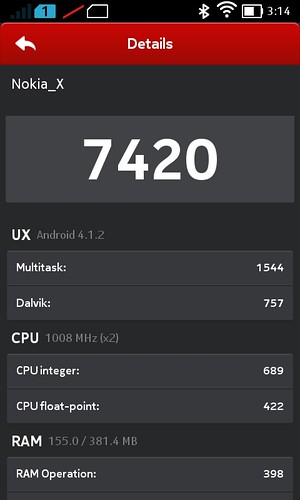
The Nokia X is not a powerhouse by any means. The Finnish company’s
first Android smartphone features a 1Ghz Qualcomm Snapdragon S4 Play
dual-core CPU with an Adreno 203, and just 512MB of RAM (While the
slightly higher priced Nokia X+ features 768MB RAM). There’s 4GB of
internal memory (out of which only about 1.3GB is available to use) with
a microSD card slot. There’s no microSD card included with the Nokia X
but we’ve been told that the Nokia X+ will come with a 4GB microSD card
slot pre-loaded.
Those specs might not sound very impressive until you look at the price
tag. It’s more than enough to provide a decent enough smartphone
experience. Though in terms of benchmarks it’s definitely far, far away
from flagship Android phones.


On this hardware, the Nokia X UI chugs along smoothly enough but it
does stutter a fair bit. The best way I could put it, is that the Nokia X
UI is smoother than an Asha 501, but not as smooth as something you’d
see on a Nexus 5 that costs about $250 more, or the Moto G (8GB) which
costs about $100 more. You do see bits of lag here and there, and an app
can take one whole second (or two) to start up after you tap it’s app
icon. Once you’re in an app though, everything is smooth enough. For
example, Twitter works great, even Facebook works okay-ish (which is
huge considering how laggy it can get on even flagship Android phones),
and the pre-loaded games like Fruit Ninja and Tetris are very playable.
That being said, a very small selection of Android apps might not work
on phones with just 512MB of RAM, and heavy apps do take a while
(between 3-4 seconds) to start up. Heavy websites tend to drive the
browser a little nuts, as well.


Apart from those specs, the Nokia X features 3G, Wifi, GPS, Bluetooth
v3.0 with A2DP, FM Radio, and Dual-SIM support. In terms of
connectivity, that’s not too bad at all. Sure there’s no LTE, but
considering the developing-markets target, it’s not really that big a
concern.
The Software:-
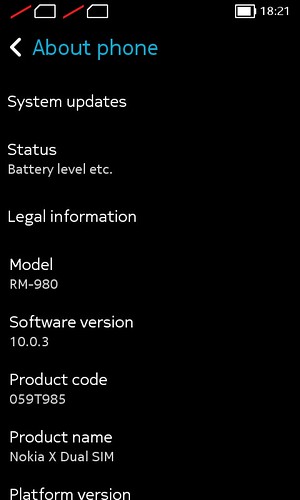
The Nokia X runs Android 4.1.2 Jelly Bean. Technically.
The thing is, it looks nothing like Android Jelly Bean, or any version
of Android for that matter. Most manufacturers usually create a UI that
look atleast somewhat like stock Android, but Nokia’s UI looks more like
a mashup of Windows Phone and Asha UI. Infact, put an Asha 5xx series
phone next to the Nokia X, and it would be hard for most people to
realize which phone runs Android.
Officially, the Nokia X runs “
Nokia X software platform 1.0.”
What does that mean? Well, the Nokia X runs a forked version of Android
4.1.2 that uses Google’s standard AOSP but doesn’t actually have access
to any of Google’s suite of services. As such, there’s no Google Play
Store, no Google Maps, no Gmail, none of that. Instead, Nokia has tried
to focus it all on Microsoft’s Cloud services and their own apps. In
select countries, the Nokia X will come with one whole month’s worth of
unlimited international calls via Skype, but due to regulatory issues
(with the Indian government) that offer is not available here in India.
There’s also lots of OneDrive integration, Outlook, and ofcourse Nokia’s
own HERE Maps, Nokia MixRadio and so forth.


With Microsoft taking over Nokia anyday now, I’m not entirely certain
what this means for the Nokia X line of devices, or why Microsoft
allowed Nokia to go ahead with this project at all, but this would allow
Microsoft to get way more users dependent on their services, which I’m
guessing they are really looking forward to. The only reason Microsoft
would want you to buy the Nokia X, is because you’d get so used to this
UI and their services, so when it’s time to upgrade, a move to Windows
Phone would seem logical.
Flipping through the UI is quick enough and generally navigation is
smooth. The simplistic UI is probably the most intriguing thing about
the Nokia X, and it’s pretty well organized, a lot like Windows Phone.
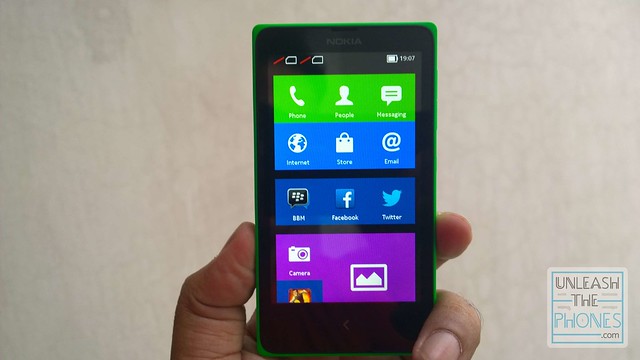
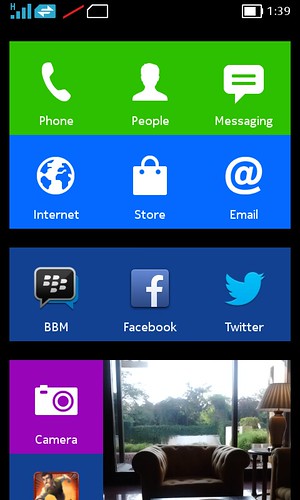
The Nokia X launcher has a series of neatly arranged “tiles”, all on one
screen. you can add folders, and even widgets, all in one single
long-scrolling pane, which is a very new take on the Android app drawer
menu. The animated tiles are essentially just a clever way of doing
Android widgets, and it looks great. The icons even act as live tiles,
telling you, for example, how many unread emails you have, or how many
new SMS messages, etc.
You can also add Android widgets to this screen, but it kinda ends up
looking messy if you do. Still, it’s nice that we have the option.
There’s the same notification dropdown that you’d expect from any
Android phone, but it’s more like the Asha 5xx’s UI, where it doesnt
really list all your notifications.

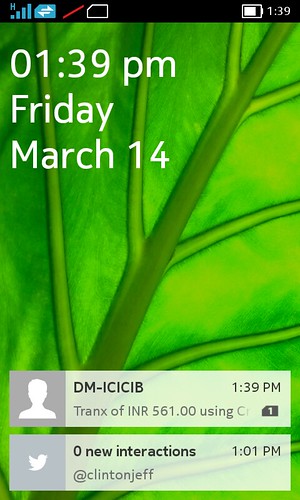
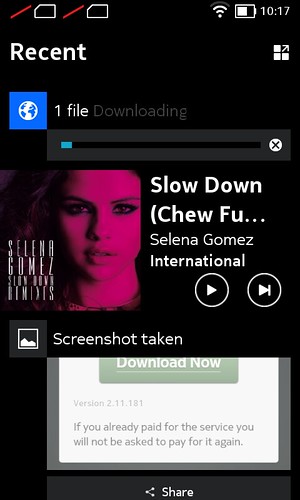
Instead your notifications are sent to another screen area called
“Fastlane”. Fastlane is a kind-of “notification menu” that is a swipe
away from the main menu, and lists all your notifications, and whatever
apps you re
cently used or events you performed on your phone, or
available app updates from the Nokia Store, in the chronological order
that they’ve happened. For example, suppose you get an email but then
use Instagram after, the Fastlane section will list the new email as an
event, with Instagram being the recent app used, on top of it. You can
customize what appears here and what apps you want to be notified about,
even delete notifications or items you no longer want to be listed, but
I’m not entirely sure it’s the best way to handle notifications. It
definitely takes a bit of getting used to. Folks who’ve used the Nokia
N9 or any of the Asha 500 series phones will find this familiar. There
are also relevant shortcut operations such as replying to a message,
returning the call of a contact, or resuming music playback, etc.
Most Android users would be a little freaked out by not having all their
notifications listed in one place, in the dropdown, and might even find
fastlane to be a bit maddening. But folks who have never used an
Android phone, or any smartphone for that matter, might actually get
along with this pretty well.
All of this and there’s just one single touch-sensitive button under
the display: tap to go back a step, tap and hold to return to the
homescreen. Very easy to figure out. Also worth mentioning, is that
there’s even the ability to change the colour of some apps to match your
theme, but you cant do this to all app icons, which means this feature
is kinda useless.
Apart from the fast lane, even the onboard apps look very different
from what you’d see on your average Android phone. All the core apps
look more like they were inspired by the Nokia N9, than what Google
intended them to look like. Fans of the N9 will immediately recognize
certain elements, like the clock app.
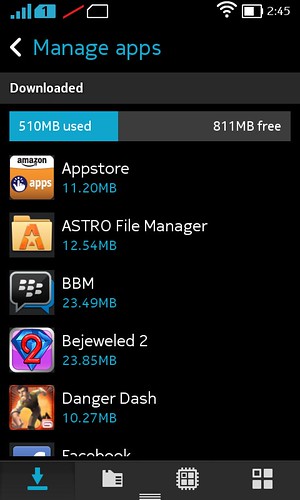
Ofcourse there are also a few third party apps pre-installed, such as
Twitter, Facebook, Opera Mobile, WeChat, Astro File Manager, BBM, and
more.

There’s also a whole bunch of games such as Fruit Ninja, SimCity Deluxe,
Real Football 2, Kingdoms and Lords, Bejeweled 2, Monopoly, Green Farm
3, The Game of Life, and Wonder Zoo. Although it doesn’t use the
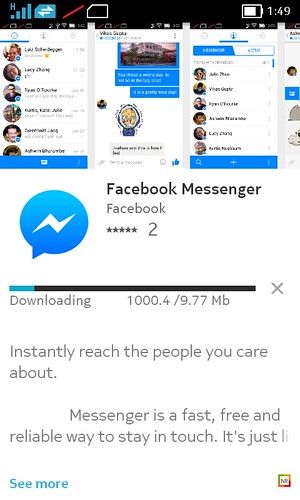
official Google Play Store, the Nokia X comes with the Nokia Store
preloaded.
According to Nokia, developers just need to slap in a few lines of code
(a mere three new APIs) into the same APK that they use for standard
Android builds of their apps, before submitting it to Nokia and getting
certified and listed on the Nokia Store. As such, it should be easy for
developers to bring their apps over, but only time will tell as to how
many apps get listed, and by how many developers. The company is hoping
that the fact that the Nokia Store has support for in-app purchases and
carrier operator billing (which is very useful in developing countries
where people dont always have credit cards), are also tempting enough
for developers.You can always install a third party app store like the Amazon App
Store, or just manually find APK files and sideload or install them. All
you have to do is go to settings -> Security and make sure “Allow
Installation of apps from unknown sources” is checked. Nokia stated at
the launch that their UX is built on top of AOSP, so technically
anything within the AOSP is possible to do on the X, which means
widgets, launchers, ROMS and more should be coming along soon enough.
Now, all this means that the Nokia X has access to almost any Android
app that can run on 512MB of RAM and doesnt require Google services. But
hunting for APK files can be quite tedious. Hopefully the Nokia Store
for Nokia X will improve quickly.
Coming to text input, Typing is easy enough thanks to the onscreen
Nokia-designed keyboard which includes swiping gestures to type (similar
to Swipe or SwiftKey).
The keyboard might feel a little cramped for some folks out there, even
though there’s a huge 4 inch screen here. In some regions, popular 3rd
party Android keyboard SwiftKey is pre-installed. You can always
download it from the Nokia Store if it is.
Nokia’s messaging app is simple and straightforward to use but setting
up email is a bit tedious. I wish Nokia made the setup process a little
simpler, because currently it asks you for way more information than
just your email address and password, even for outlook or gmail
accounts. When you try to add a new email account, it’ll ask you if you
want to setup a corporate account or just “Email”. Selecting email then
asks you for your username and password, but the next step after is to
ask you whether it’s a POP, IMAP or Exchange account, which is most
definitely going to confuse certain users.
Choosing IMAP, then asks you
for the IMAP server address, port number, security type, etc which is
just way more complicated than setting up a basic Outlook/Hotmail
account should be in this day and age.

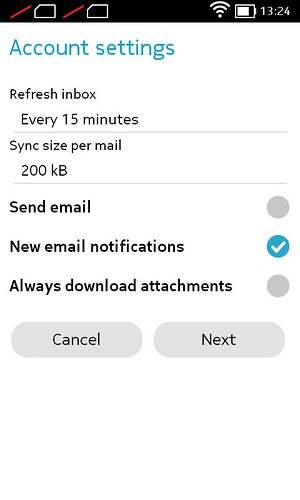
Ironically, adding your Gmail email on the other hand, just requires
your email address and password, heh. The only thing it asks you, in
Gmail’s case, is how often
to refresh inbox (every 5, 10, 15 or 30
minutes, every hour or never), automatically download attachments, and
whether it should notify you about new email.
Speaking of which, you can sync your Gmail email over just fine, but
it’s almost entirely impossible to sync over your Google Contacts or
Google Calendar. Atleast I havent been able to figure out a way to, so
far. There’s always the old fashioned way of exporting all your Gmail
contacts in vcard (vcf) format, and then place it on an sd card, and
then import them in to the Nokia X. You can pull in contacts from any
corporate account, though. The Contacts app is also pretty simple, and
can pull in your Facebook contacts (though I assume this is because the
Facebook app is pre-installed) and probably more services going forward.
Coming to web browsing, the Nokia browser does a good enough job, and there’s support for tabs as well.
There’s also Opera Mobile pre-installed which is a way better browser, in my opinion. Unfortunately Google Chrome does not work on the Nokia X, even if you manage to find an APK file and install it. Websites look okay on that 4 inch screen, though the low resolution means you’ll have to do a lot of scrolling around.
As you can probably guess, the default search engine in the Nokia browser, is Bing.
Moving on to multimedia, the Nokia X gallery app is a slightly prettier version of what you’d see on most Android phones, listing your images by album based on type (camera roll, screenshots, etc) and in a grid of thumbnails. You can set images as wallpaper, rotate them, watch a slideshow, or even edit images to throw in a filter, or crop them. The Nokia X can playback MP4 (H.264/H.263) video but only upto 480p resolution.
The music player app and FM Radio app work just you’d expect them to. The FM radio requires a headset to be plugged in, while the Music Player UI is straightforward and simple to use. That being said, I much prefer Nokia’s MixRadio streaming service for all my music needs.
At the end of the day, while the Nokia X does run Android, it’s UI
looks and behaves completely differently, in strong contrast compared to
your average Android experience. Whether you like the Nokia X UI or not
is probably a matter of personal taste, but you can always install a
third party launcher like Nova launcher to change things up. When people
thought of Nokia’s solid build quality and great qualities, paired with
the flexibility and app ecosystem of Google’s Android, this was
certainly not what they meant. As such, most users buying the Nokia X
“because it runs Android” might be a little put off by the UI. And it’s
definitely not meant for powerusers.
There’s not even any guarantee that this version of Android will be
updated. It’s never easy to predict, even for standard Android phones,
much less one that is forked. Nokia has been sensible with how the OS
and UI are handled, and they’re two separate components, so that Nokia
can individually update the interface layer of its “Nokia X Software
Platform” independently from the underlying Android OS. That makes a lot
of sense considering the update delays we’ve seen from some Android
OEMs, who have to wait to tweak their customized UIs until Google
releases a more significant OS update. The company has stated that they
will update the Nokia X software, or individual services, based on
“consumer need” so there should be, at the very least, security updates
coming along.
But folks on a budget, who are new to smartphones or just phones in
general, might actually really get along with the Nokia X, fastlane and
all. And it’s that crowd that Nokia is hoping the Nokia X appeals to.
The Camera:-
The Nokia X features a 3 megapixel fixed-focus rear camera. I’m not
entirely sure why Nokia chose to go with a fixed-focus camera, but it’s
possibly just price related reasons to keep it as affordable as
possible. I’ve been too badly scarred by the old EDoF days when a few of
Nokia’s Eseries Symbian phones like the Nokia E7 had fixed focus
cameras, so I’ve never been a fan of them. And a fixed focus 3 megapixel
camera in 2014, when 5 megapixel cameras on Android should be the bare
minimum, it’s slightly annoying. But hey, they tried to keep costs down.
The Camera app is really basic as well, with a photo mode, panorama
mode, and video mode. There’s even built-in face detection. The UI is a
lot cleaner than most Android cameras, and the settings menu has a whole
bunch of options to tweak, even built-in color effects. Camera
shot-to-shot time is about 2-3 seconds, and there is the bit of shutter
lag every so often, depending on the scenario.
As you can imagine, camera quality is just barely average. For that
price range, you cant really expect much. As long as the object you’re
taking a picture of isnt too close, or too far, the fixed-focus camera
does an okay job. Dont even dream about getting ‘macro’ close up shots
with this thing.
In bright daylight, images are okay, with good color reproduction and
decent dynamic range. Since it’s a fixed focus lens, anything that’s
too close or too far away wont be in focus. Otherwise the 1/5 inch
sensor does an okay job for this price range. Dont expect to be taking
any award winning shots with this camera, but the Nokia X camera is okay
for pictures of your friends and general scenery. There’s no front
facing camera though, which means no selfies or video calls for that
matter.
In lowlight, images can get pretty bad. Lowlight performance wasnt a
priority with this phone, and since there’s no LED flash, you’re better
off just not taking pictures in lowlight scenarios.

Coming to video, it’s kind-of terrible. Again, it’s fixed focus, and
performance in in daylight is good, while lowlight performance is very
noisy. The Nokia X video camera maxes out at 480p resolution, at upto 30
frames per second. You can record upto 30 minutes of video, though the
default setting is upto 10 minutes
The Call Quality:-
Call quality is never usually a problem on Nokia phones and that’s the same story here.
Calls come in clear, and the earpiece is good but could have been slightly louder, in my opinion.
There’s apparently noise cancellation onboard but I’m not entirely sure
about that. Regardless, folks on the other end of our calls said we
sounded loud and clear.
The Battery Life:-

The Nokia X features a 1500 mAh battery. Considering it’s powering a
dual-core processor, Android, and a 4 inch IPS display, that’s an okay
amount of power.
Officially, the Nokia X is rated at up to 26 hours of music playback,
or up to 13 hours, 20 minutes of standby on 2G (and 10 hours, 30
minutes on 3G).
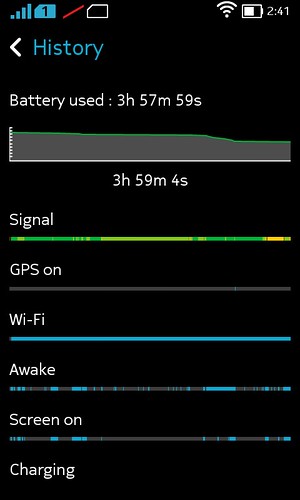
In my time with it, I got very average battery life out of the Nokia X.
It’ll last for about a day’s worth of average use (on 3G), but heavy use
on a proper work day means you’ll need to charge it up before you head
home for the evening. My network (Airtel in India) has terrible 3G
coverage in Delhi, so this might be subjective.
The Dual-SIM:-

The Nokia X family of phones come in both Dual-SIM and Single-SIM
versions but some regions might only get one variant of it. India, for
example, will only get the Dual-SIM version.
That being said, only SIM 1 supports 3G.
The Conclusion:-
While it’s great to see Nokia explore Android as an alternative to
Windows Phone and S40, the Nokia X probably wont appeal to your usual
Android fan. Mostly because of the very-windows-phone-like UI and the
absolute lack of Google services.
But that being said, I actually really think it might be great for first
time smartphone users. Or just folks looking to get something as simple
and solid as one of Nokia’s Asha or S40 phone, but with access to a lot
more apps and general functionality.
The Nokia X is a really hard phone to work out. On one hand, it’s a
really affordable phone with expectedly budget specs. On the other hand,
it’s not much better than the Nokia Lumia 520 which sits above it in
the product line but is now priced very similarly. The only advantage
the Nokia X has over the 520, in my opinion, is access to a lot more
apps. Almost any Android app that can run on 512MB of RAM will work on
the Nokia X, but the challenge would be finding all those apps or apk
files outside of the Nokia Store. For example, Instagram isnt (
at the time of this post)
available on the Nokia Store for the Nokia X, nor is it on the Amazon
Store, so you’ll have to hunt around for the .apk installation file.
It’s also important to note that you cant really compare the Nokia X with something along the likes of the Moto G.
The Finnish Android phone isnt aimed at the same crowd at all, rather
the Nokia X is a phone meant more for parts of the developing world
where Android phones are sold at a really low average price point, but
can still perform the basic tasks that you’d expect from it. There are
some other worries too. While there is a microSD card slot, the 4GB of
internal memory can get filled up awfully quickly. That camera isnt too
great either, and battery life is fairly average for an Android phone,
but that isnt really saying much.
At the end of the day, the Nokia X is a well constructed smartphone
that has an straightforward UI, a nice display and integration with
Microsoft’s services, Nokia’s Maps and Music services, as well as a lot
more apps than Windows Phones currently have.
%20glowing%20in%20blue,%20moving%20throug.webp)